Web design · Development · SEO
CSS Custom Properties
CSS variables explained: sharing style values | scinet
Editorially reviewed ·
Clear definition
CSS variables are custom properties in a stylesheet. A name such as --accent-color represents a value that can be reused in several places. You access it with var().
Imagine changing your website’s accent colour. If twenty elements refer to the same value, you do not have to track down twenty separate colour declarations. That may sound small, but it makes later changes easier to understand. The elements must actually use the custom property for this to work.
One value, several places
With :root, you can define a shared starting value for the document. A button and a notice border can refer to it. That makes sense when both have the same intended role.
I would not automatically connect every red surface to one variable, though. An error message and a brand colour may look identical today while serving different purposes later. Name values by their meaning so that future changes have a clear scope.
At a glance
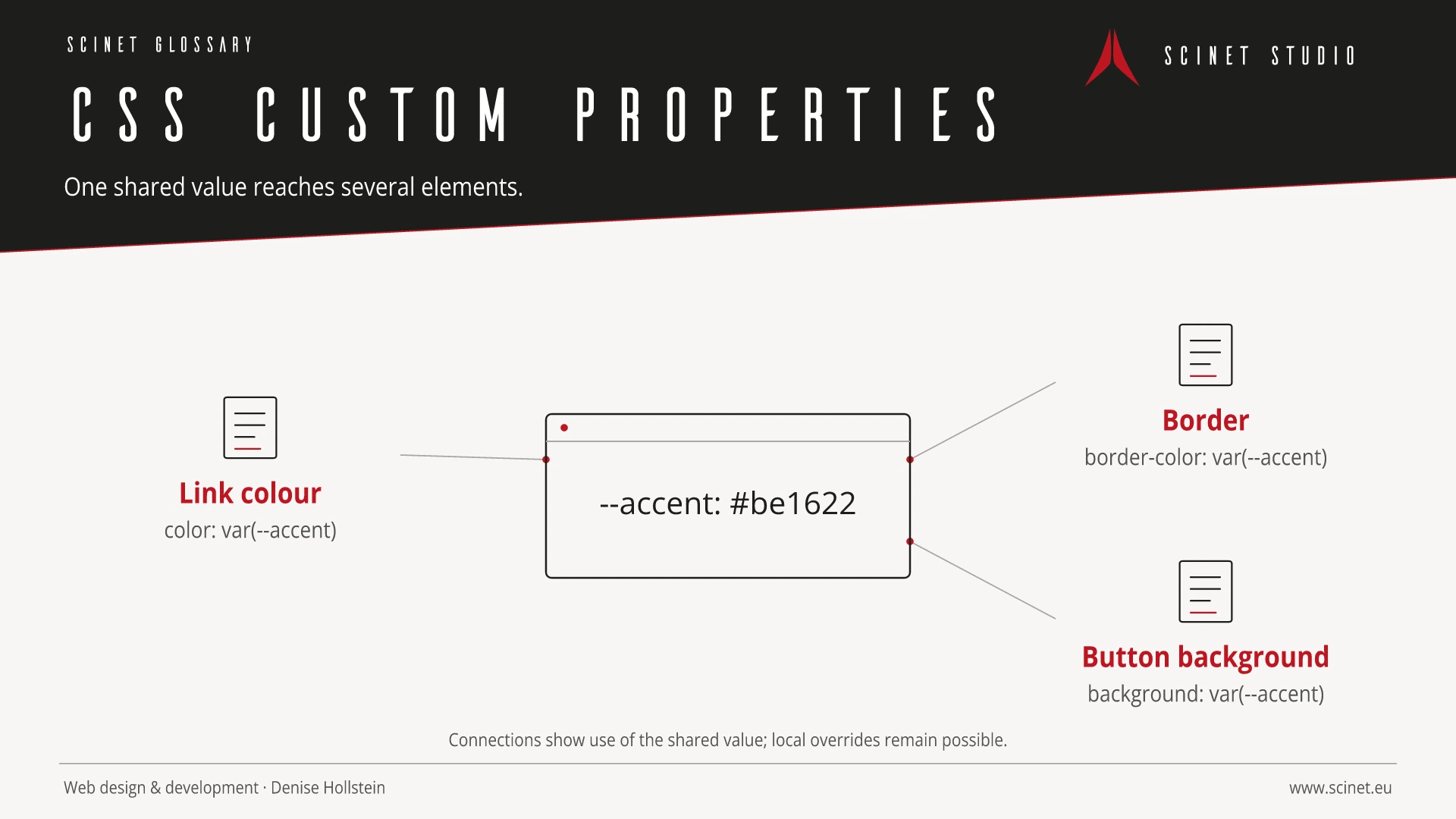
Why a variable need not be identical everywhere
Properties declared with -- normally inherit. You can override the value in a particular section, such as a dark contact panel. Elements inside use the value effective in that context. This is what makes the mechanism different from simple search and replace.
@property can additionally register a type, initial value and inheritance behaviour. You do not necessarily need registration to get started. It becomes useful when stricter value rules or particular animations are needed.
Fallbacks help, but do not solve every error
var(--accent-color, #be1622) includes a fallback. It applies, for example, when an unregistered variable is undefined. It does not automatically turn an unsuitable value into a valid colour. If an existing variable contains a length and is used as a colour, the declaration can become invalid.
var() cannot generate selectors or property names. It also cannot simply parameterize an ordinary media-query breakpoint. Start with a small example and inspect the computed style in the browser.
Related reading: Design Tokens · Sass / SCSS · Bootstrap 6 Alpha compared.
Practical code example
A shared colour with a local variation
Original example: link and border use the same value. Inside .contact-panel, that value is overridden.
:root { --accent-color: #be1622; }
.contact-link { color: var(--accent-color); }
.notice { border: 2px solid var(--accent-color); }
.contact-panel { --accent-color: #76101a; }
Sources and further reading
- Documentation Using CSS custom properties MDN Web Docs · Checked
- Documentation var() MDN Web Docs · Checked
- Documentation @property MDN Web Docs · Checked
- Documentation Sass Variables Sass · Checked
