WordPress-Plugin
scinet Bandmanager
Manage bands, artist pages and concert dates.
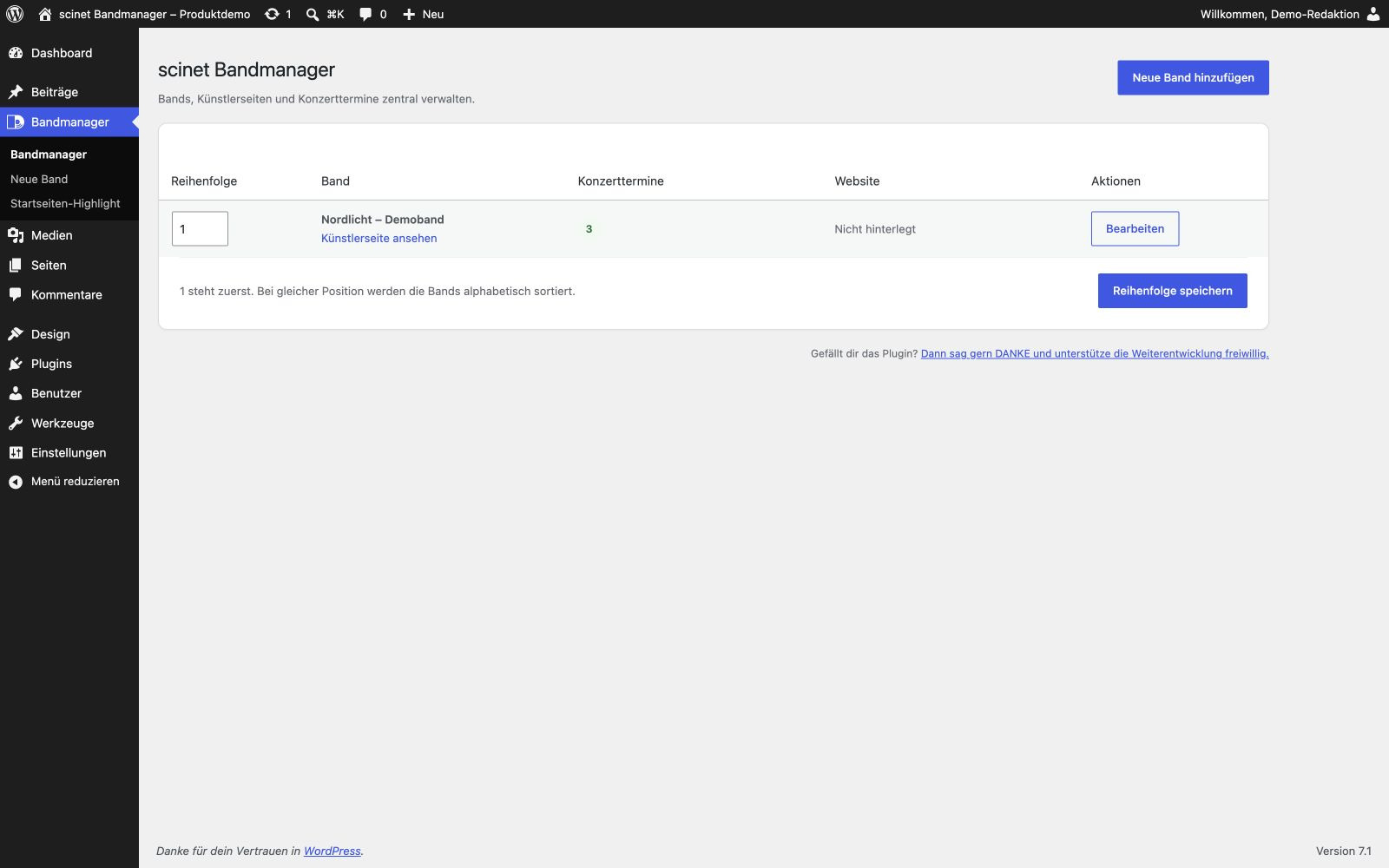
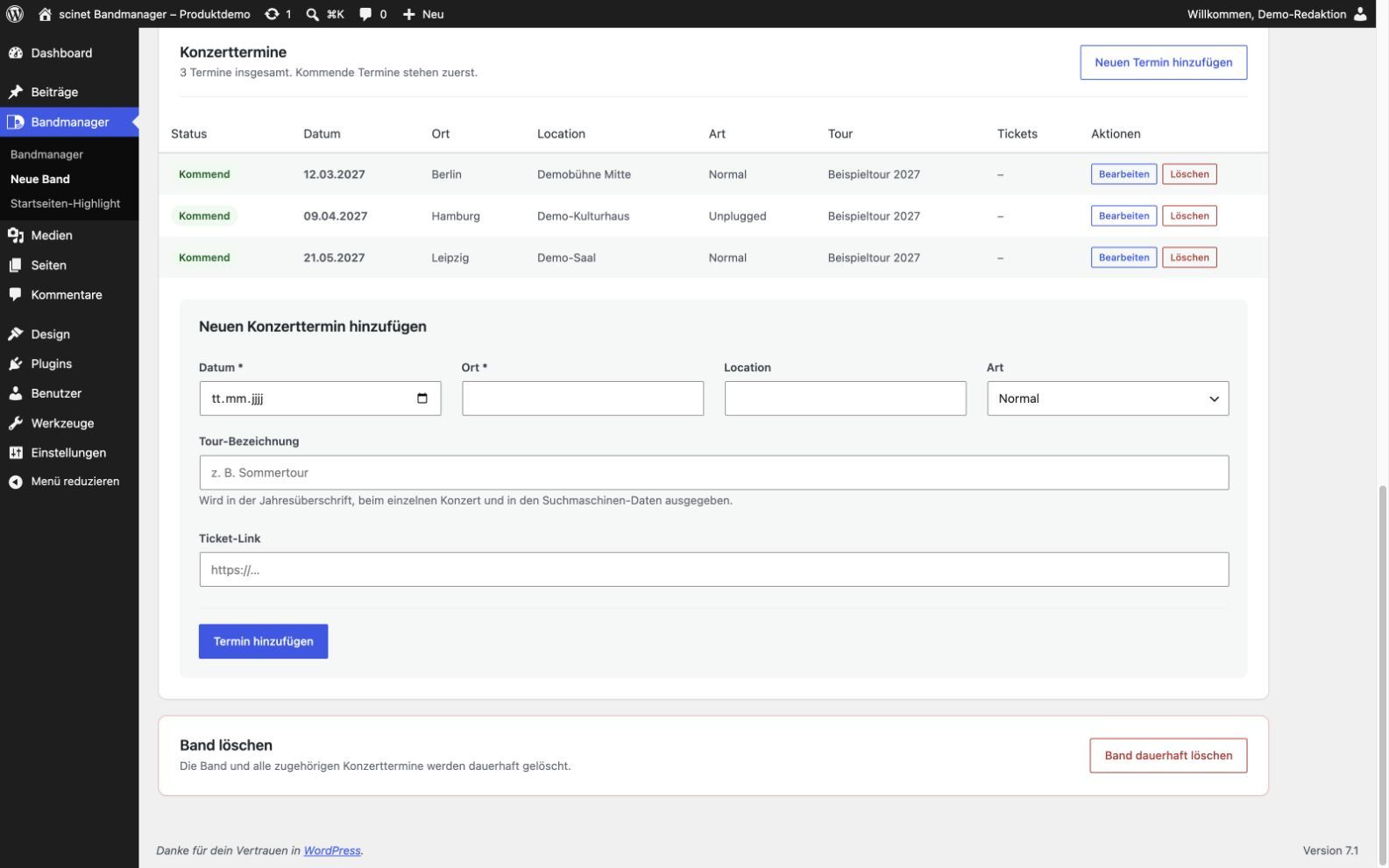
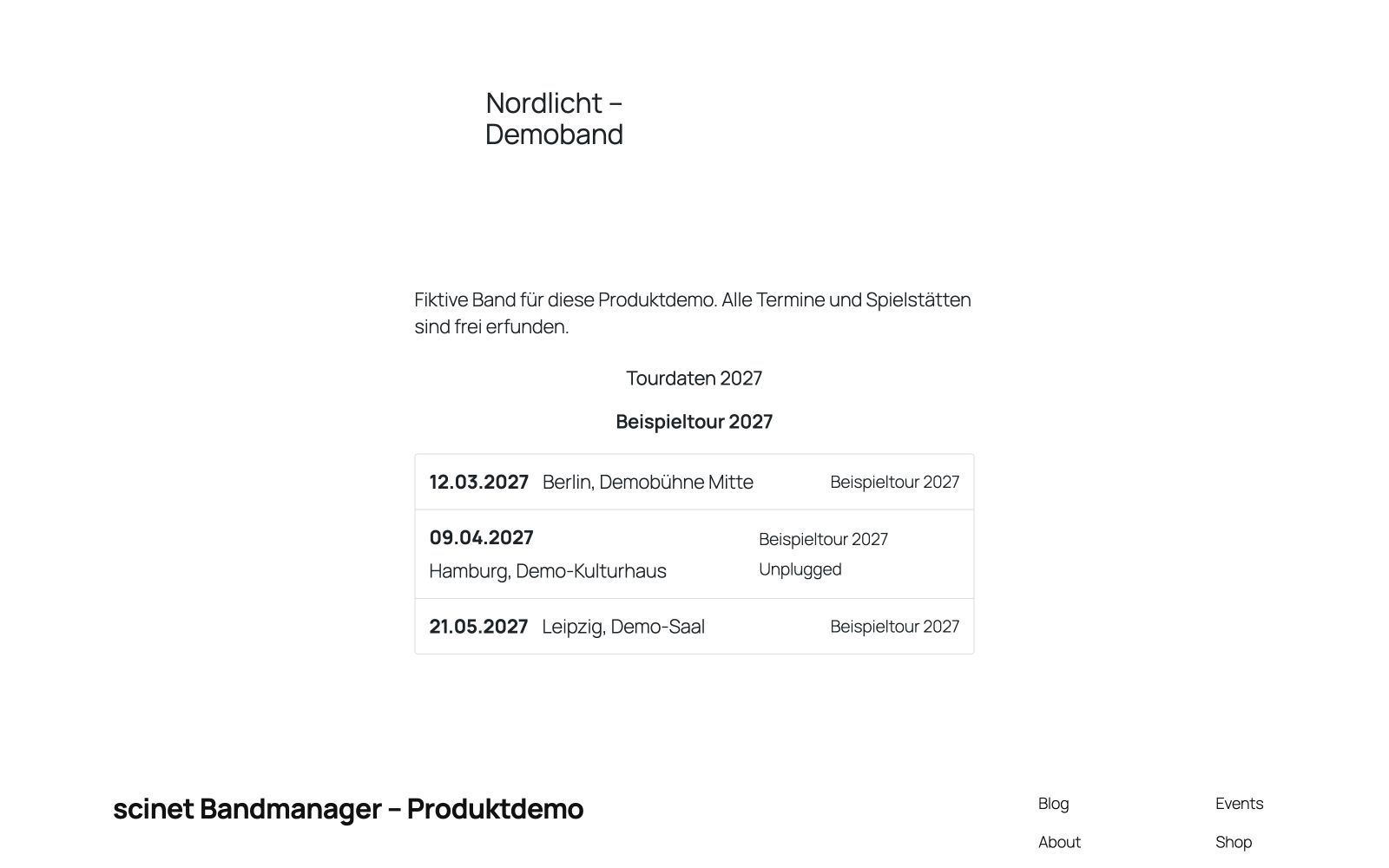
Manages bands and concert dates and displays them through a shortcode with responsive, theme-independent output.
What the plugin does
scinet Bandmanager keeps bands, artist pages and concert dates together. I designed shortcode output so you can place dates where they fit your WordPress pages. An optional highlight shortcode complements your homepage. Page assignments alone do not automatically insert content, and structured data does not guarantee special search results.
Who it is for
For bands, artists, promoters and music projects that maintain their own tour dates.
Included features
- Band and concert management
- Association with WordPress pages
- Responsive shortcode output
- MusicGroup and MusicEvent data
- Compatibility with the previous shortcode
Screenshots
Installation and updates
Install and activate the ZIP, then add bands and concerts under Bandmanager. Insert [scinet_bandmanager band="1"] with the correct band ID; optionally use [scinet_bandmanager_highlight]. When replacing the old bandmanager directory, first save the old highlight settings once to preserve defaults stored only in historical code. Test the path migration on a backed-up staging copy and activate the renamed plugin; do not activate both variants together. Stored bands, concerts, assignments and legacy shortcodes are retained, including on uninstall.
Direct ZIP releases must currently be updated manually. This website does not operate a plugin update server.
Before updating, back up your website and database. Upload the new ZIP under Plugins → Add New → Upload Plugin and choose to replace the installed version. Then check settings and functions. Do not uninstall first if you want to retain your data.
Free direct download; updates currently require manual installation. A future transition to WordPress.org will be verified separately. The listed versions were tested within the documented scope, not with every theme or intermediate version. Actual screenreader testing remains outstanding.
Integrity and licence
Licence: GPL-2.0-or-later
© Denise Hollstein / scinet studio
SHA-256 checksum
db81e544253a2047b76df316ace9f418f15a5c66d2be9b80b5d8d56d82486792
Changelog
Version 1.6.3 · 2026-09-14
- Documented the pre-upgrade save needed to preserve code-only highlight defaults from historical site-specific versions.
- Verified the path migration with an approved local copy of existing site data.
