Web design · Development · SEO
CMS (Content Management System)
CMS explained: managing content without editing source code
Editorially reviewed ·
Clear definition
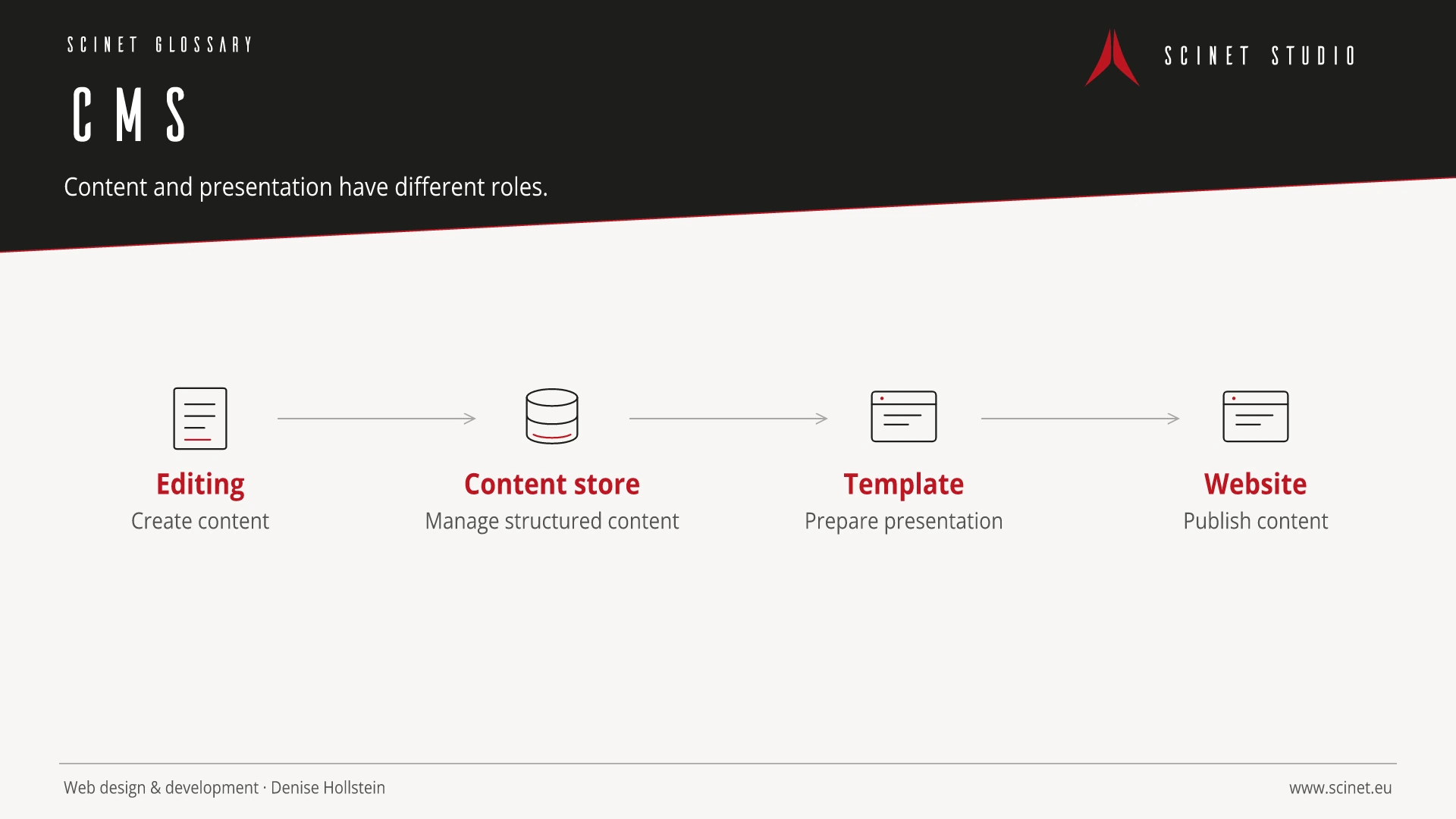
A content management system, or CMS, enables structured creation, editing, and publication of digital content through an administrative interface. Content is usually stored in a database or comparable repository and rendered through templates for websites, apps, or other channels. Roles, versioning, media management, and workflows can support editorial collaboration.
A CMS does not replace planning or technical maintenance. Selection and architecture depend on content types, editorial workflows, multilingual requirements, integrations, permissions, performance, and lifecycle. Extensions can accelerate projects but introduce dependencies and maintenance risks. Updates, backups, access controls, and quality assurance remain necessary.
CMS (Content Management System) in practice
A CMS should represent actual content types rather than treating every page as one free-form field. Structured fields make consistent presentation, reuse, and future migration easier.
A suitable content management system reflects content types, roles, approvals, multilingual needs, and integrations. The number of available extensions is not a quality measure by itself. A clear editorial workflow, maintained components, defined ownership, and an update strategy matter more. Typical tasks should be tested with real content before a decision is made rather than comparing feature lists alone.
At a glance
CMS (Content Management System): relevance to SEO, paid search, and GEO
A CMS supports visibility when editors can control page titles, descriptions, headings, internal links, structured data, and redirects. Campaign landing pages should be quick to create without bypassing quality controls. Templates need useful guardrails: sound semantics, defined image sizes, and required fields are more valuable than unlimited freedom that permits new errors on every page.
For search and answer systems, coverage of CMS (Content Management System) should distinguish its definition, scope, and evaluation criteria. The editorial reference is “Authoring Tool Accessibility Guidelines (ATAG) 2.0” by W3C, making central claims traceable for readers and machine-based systems.
Sources and further reading
- Standard Authoring Tool Accessibility Guidelines (ATAG) 2.0 W3C · Checked
